
GET YOUR MIX RIGHT
MiRA 26.04 - Audio Analysis for the Future
The MiRA 26.04 update redefines fast intelligent audio analysis, providing AI powered Auto EQ, advanced real time workflows, and smarter capture tools, making system tuning quicker, more accurate, and more accessible than ever, with support for unlimited number of input streams for MiRA Studio and Live.
MiRA 26.04 is a free update for all users with a valid MiRA perpetual license or active MiRA subscription plan.
Available now in FLUX:: Center
Get your mix RIGHT with MiRA Session Spectrum and Metering system
Part of the MiRA family of audio analysis and metering applications, whether you are producing music, podcasts, or any audio content, MiRA Session offers comprehensive and responsive real-time visual feedback for your mix. With customizable workspaces tailored to your specific needs, along with predefined analysis and metering layouts, MiRA Session empowers you to maintain full control over your levels and ensure your mix adheres to the latest loudness standards.
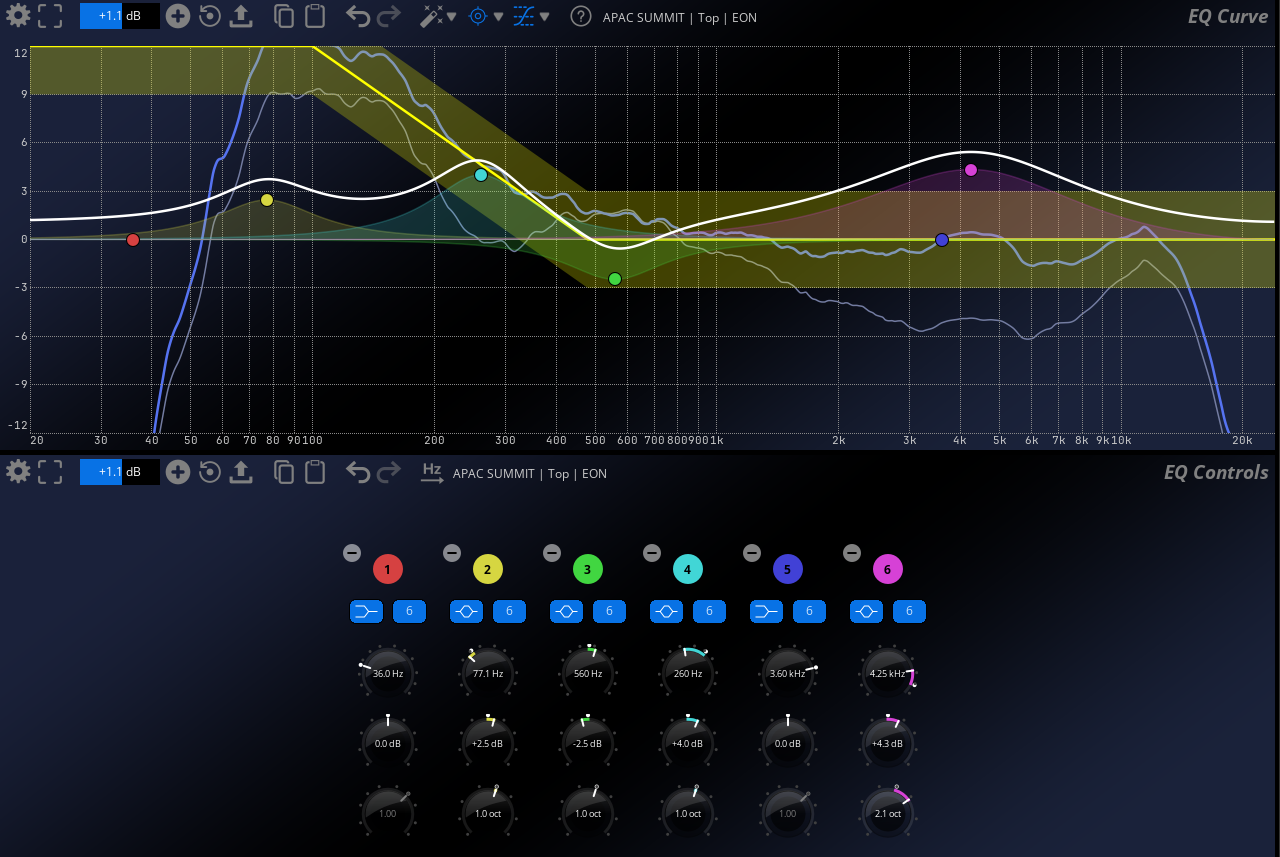
NEW MiRA AUTO EQ SCOPE FROM 26.04
The new MiRA scope introduces AI‑powered Auto EQ, enabling fast, accurate and consistent system tuning by automatically generating EQ based on defined target curves.
BE IN CONTROL OF YOUR MIX
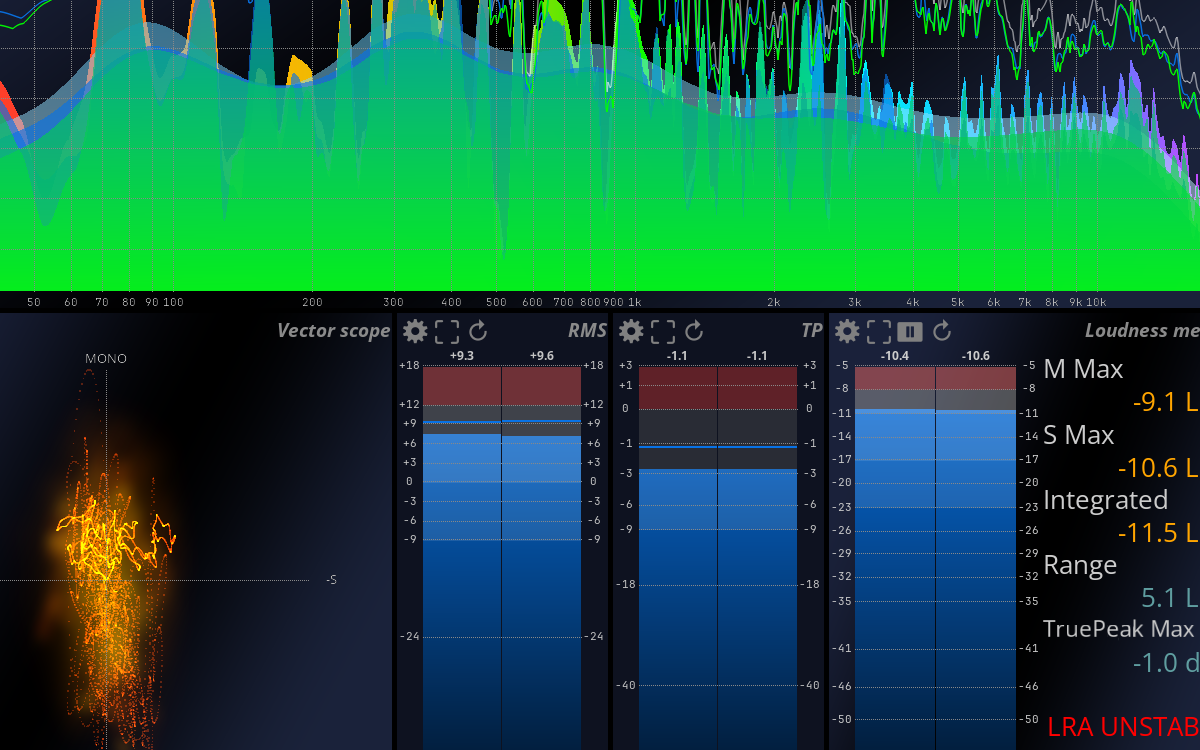
MiRA Session delivers all the tools you need for real-time control of your stereo mix.
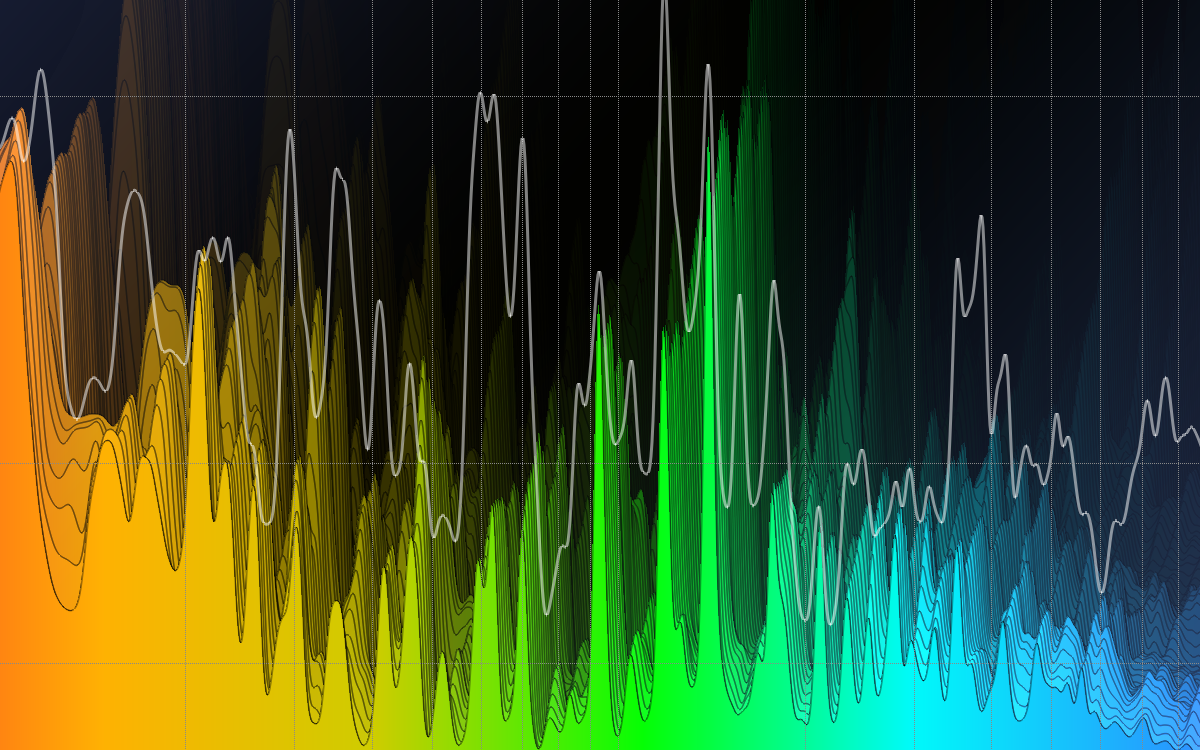
PRECISE SPECTRUM ANALYSIS
MiRA Session features a unique algorithm to ensure precise spectrum analysis, mimicking human ear perception.
IMPROVED LOUDNESS METERING SCOPE
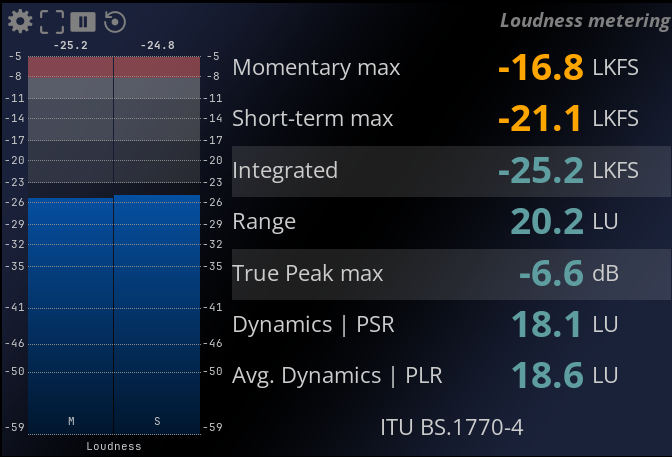
Introduced in MiRA 26.05, the improved Loudness Metering Scope provides clearer insight into dynamics and headroom with new Peak-to-Loudness Ratio (PLR) and Peak-to-Short-Term Loudness Ratio (PSR) metrics, delivering more meaningful loudness analysis at a glance.
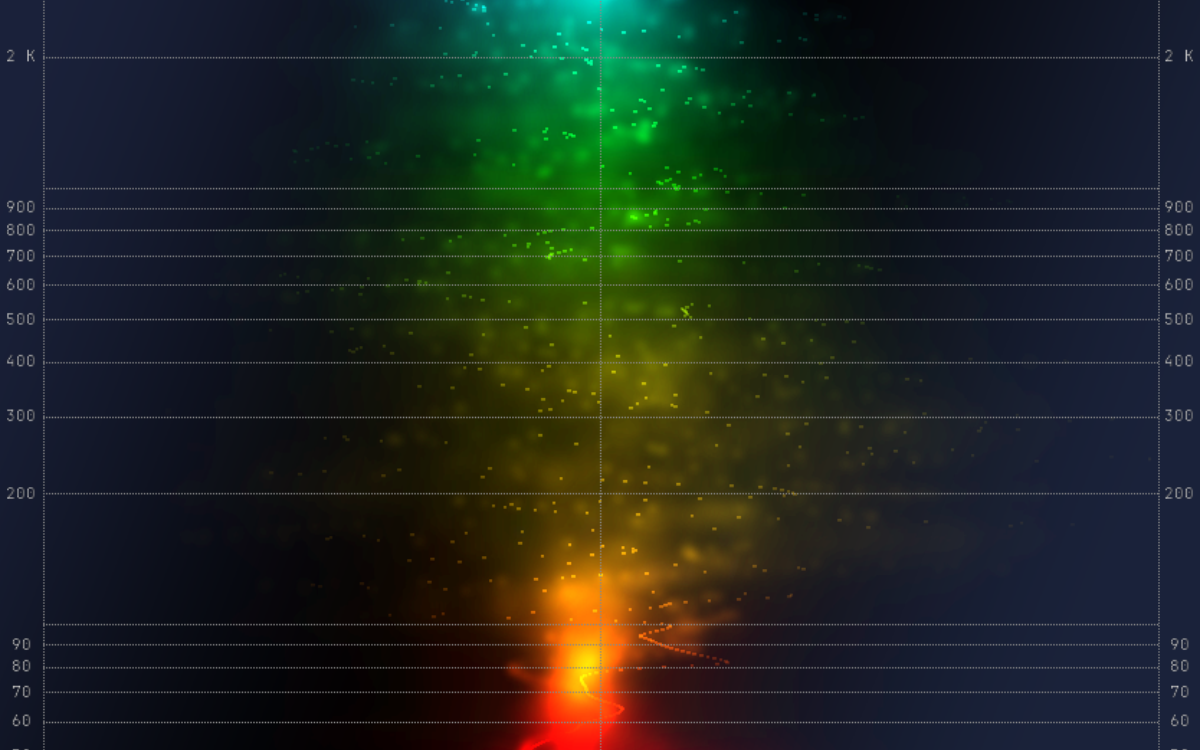
NEBULA SCOPE ANALYSIS
Gain control of your stereo field across frequencies with Nebula scope analysis.
FLUX:: SAMPLE PUSH TECHNOLOGY
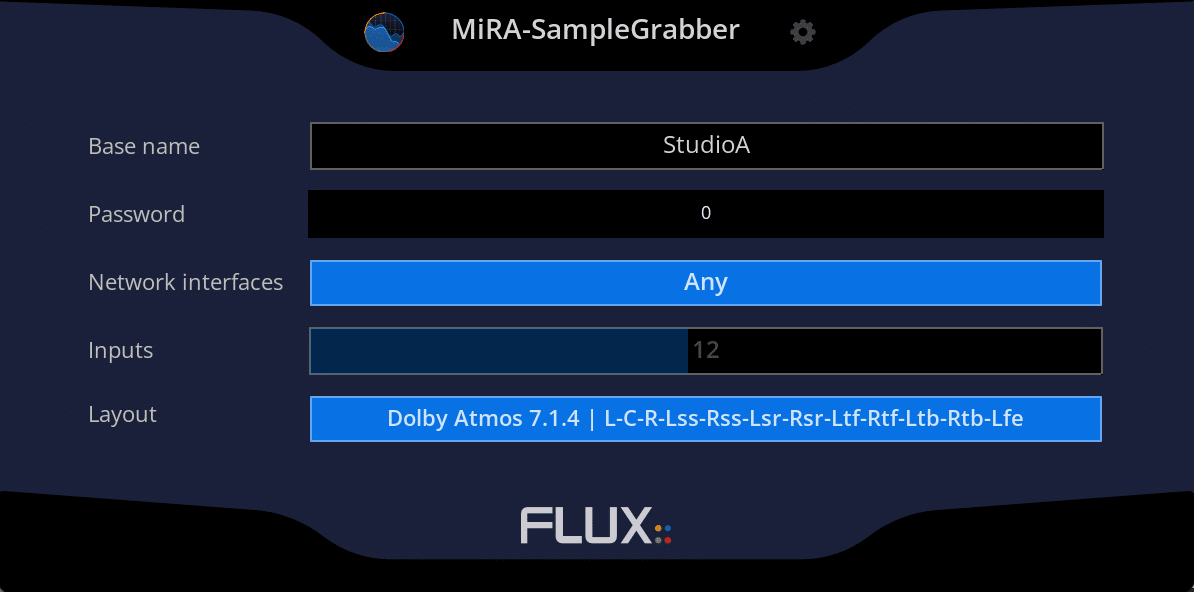
Proprietary Sample Push technology from FLUX:: extends the integration capabilities with the MiRA Sample Grabber plugin extracting samples directly from the plugin insert chain, in any compatible DAW environment for instant analysis.
FEATURE HIGHLIGHTS
- Intuitive user interface with a fully customizable workspace, layouts, and settings
- RTA range mode manual, auto, compressed, and compressed auto
- LUFS - EBU R128 / PLOUD support for all the latest norms
- Real-time metering statistics available in Spectrogram, Spectrum, and Scope layouts
ADDITIONAL NEW FEATURES FROM 26.04
- New I/O Setup Page - Simplified and clearer configuration of system inputs and outputs.
- Daylight Mode – New UI mode optimized for use in bright environments.
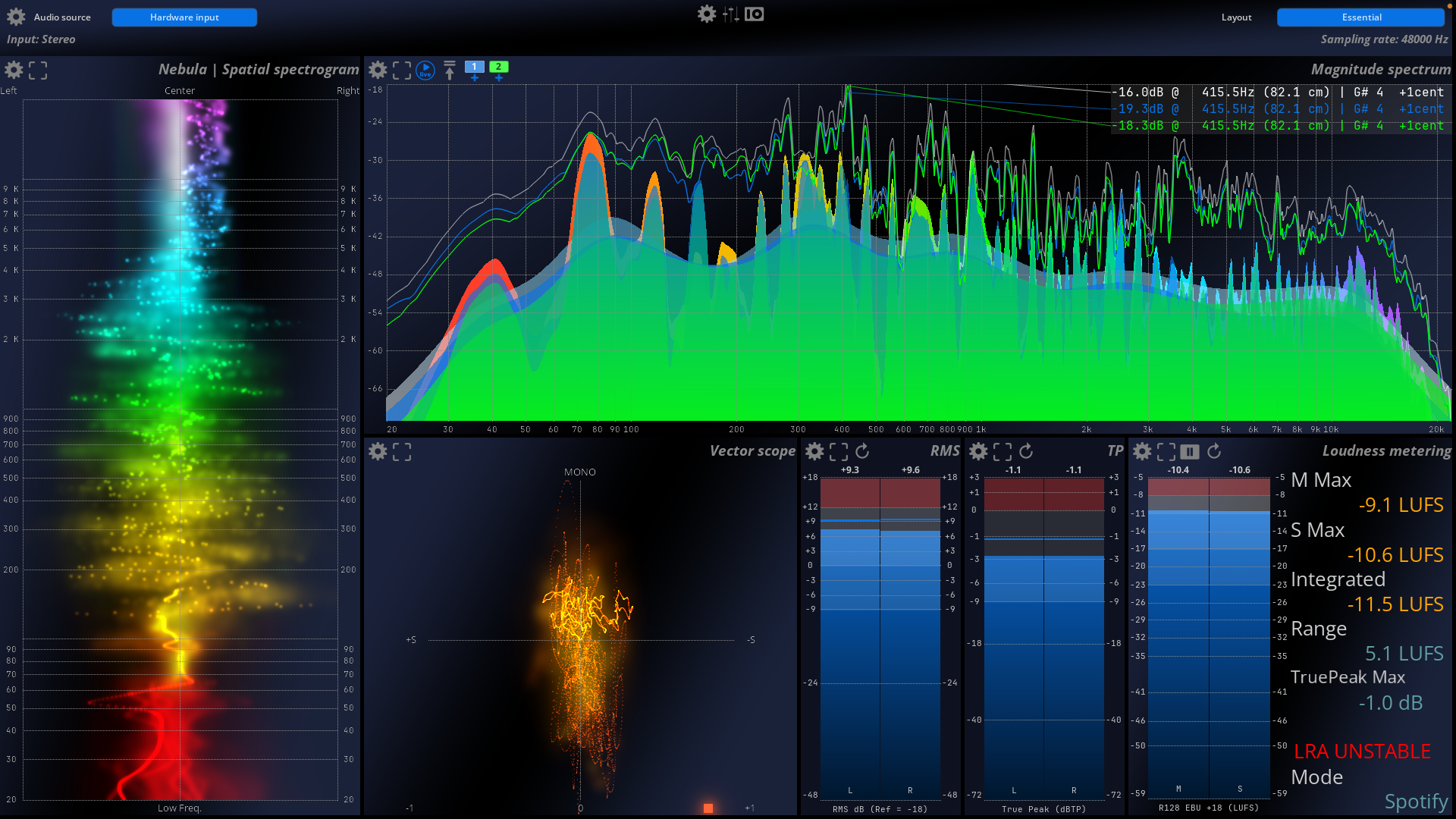
ANALYSIS ESSENTIALS
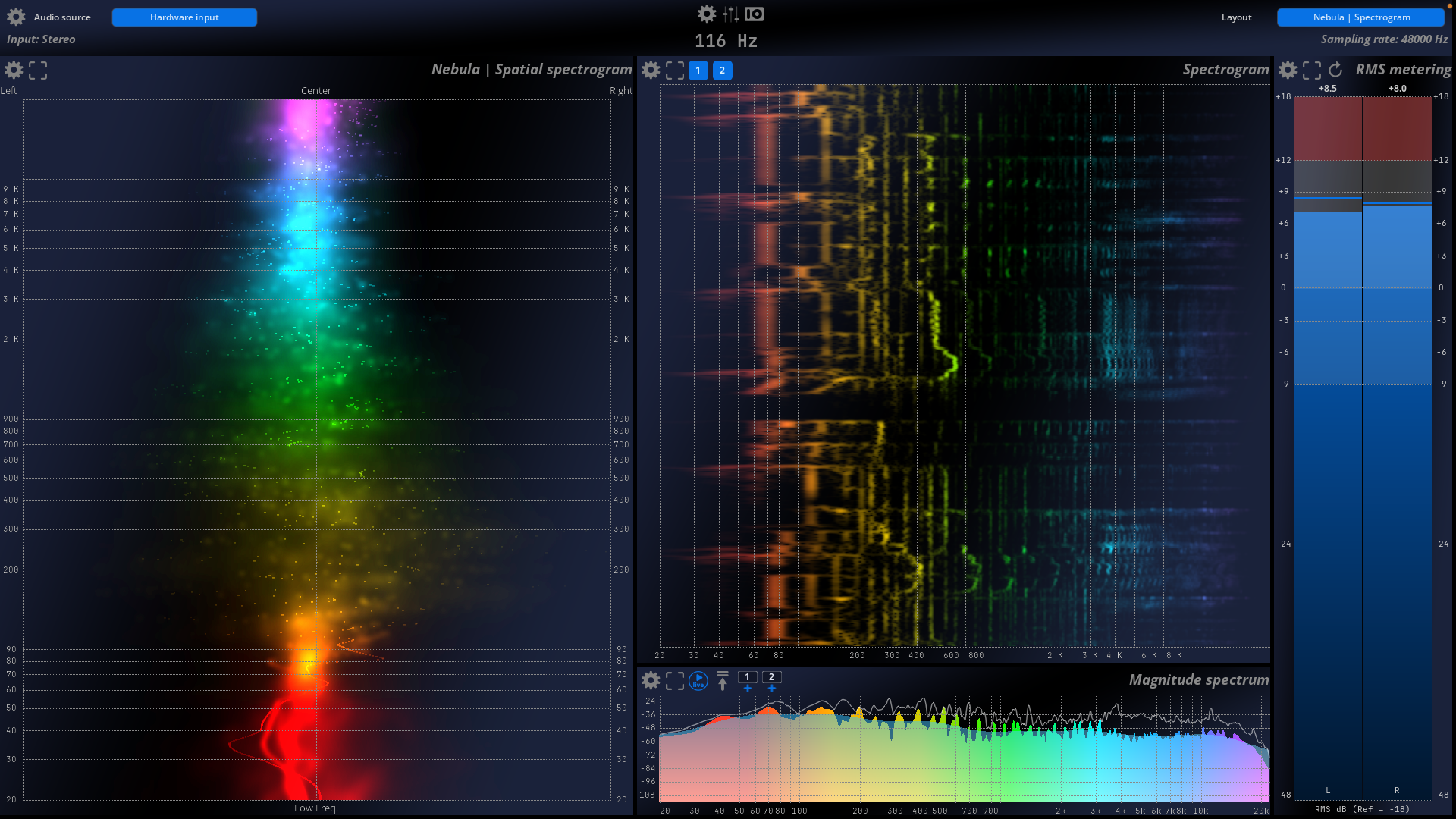
NEBULA SPECTROGRAM
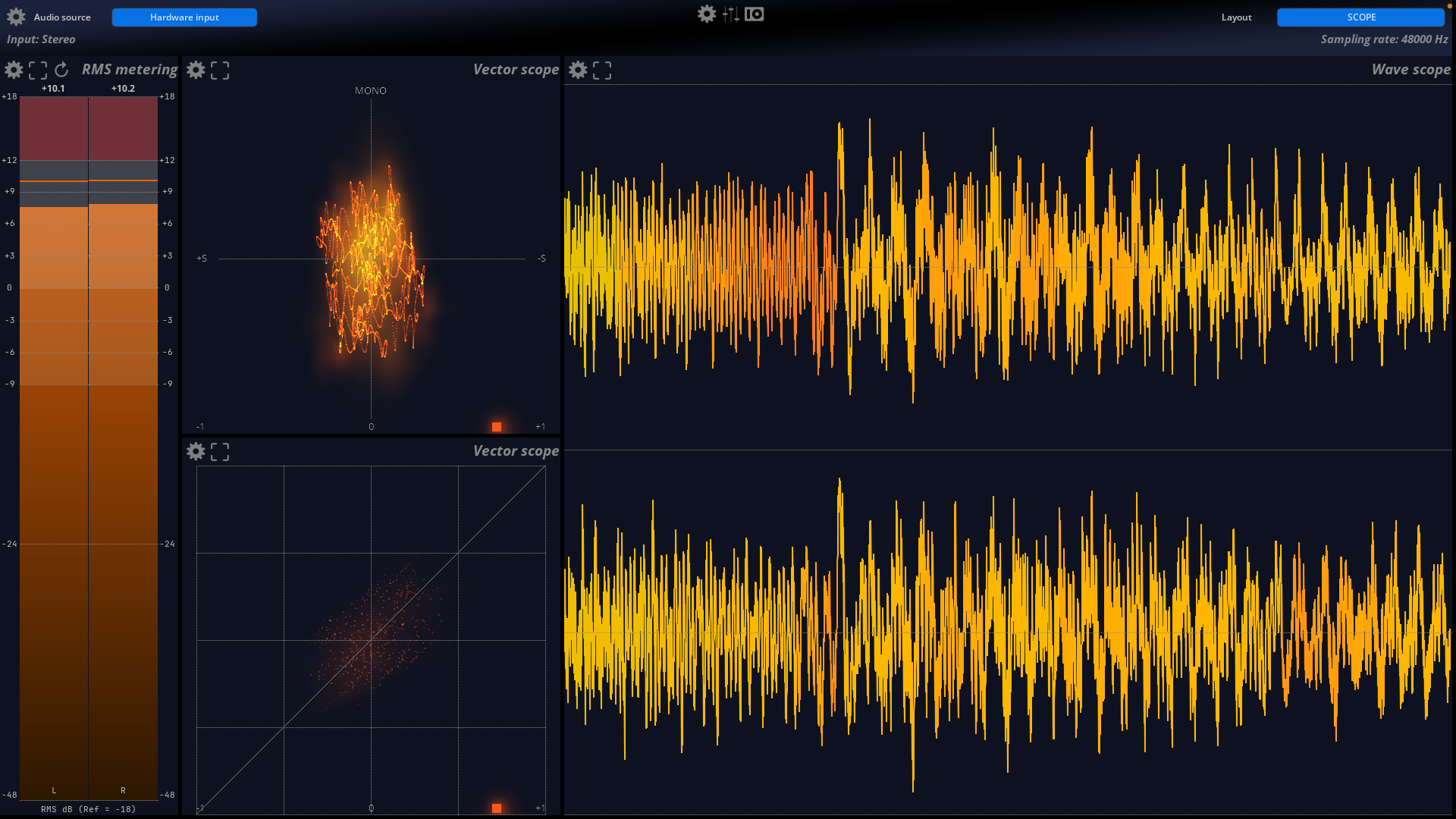
SCOPE
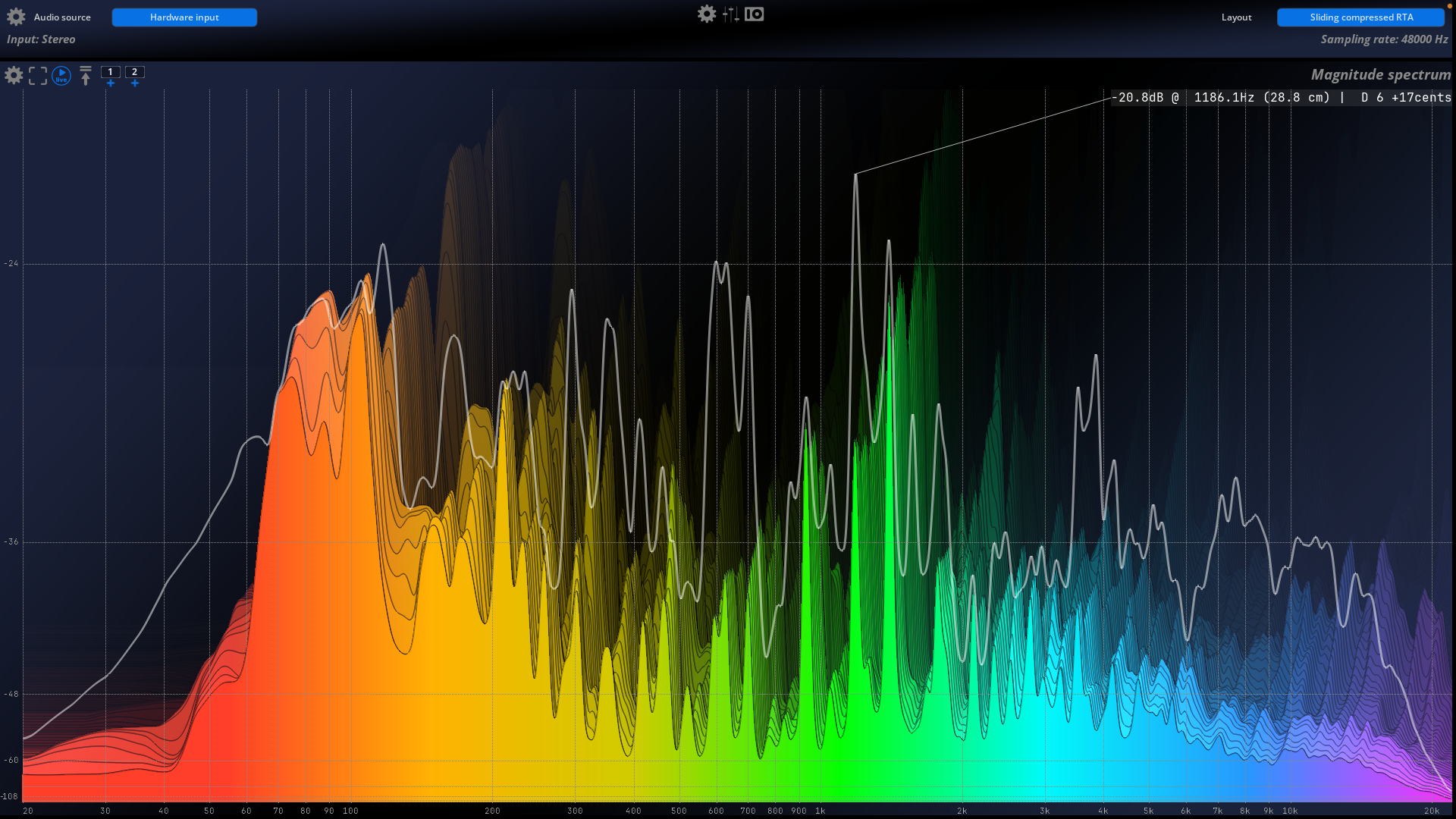
SLIDING COMPRESSED RTA
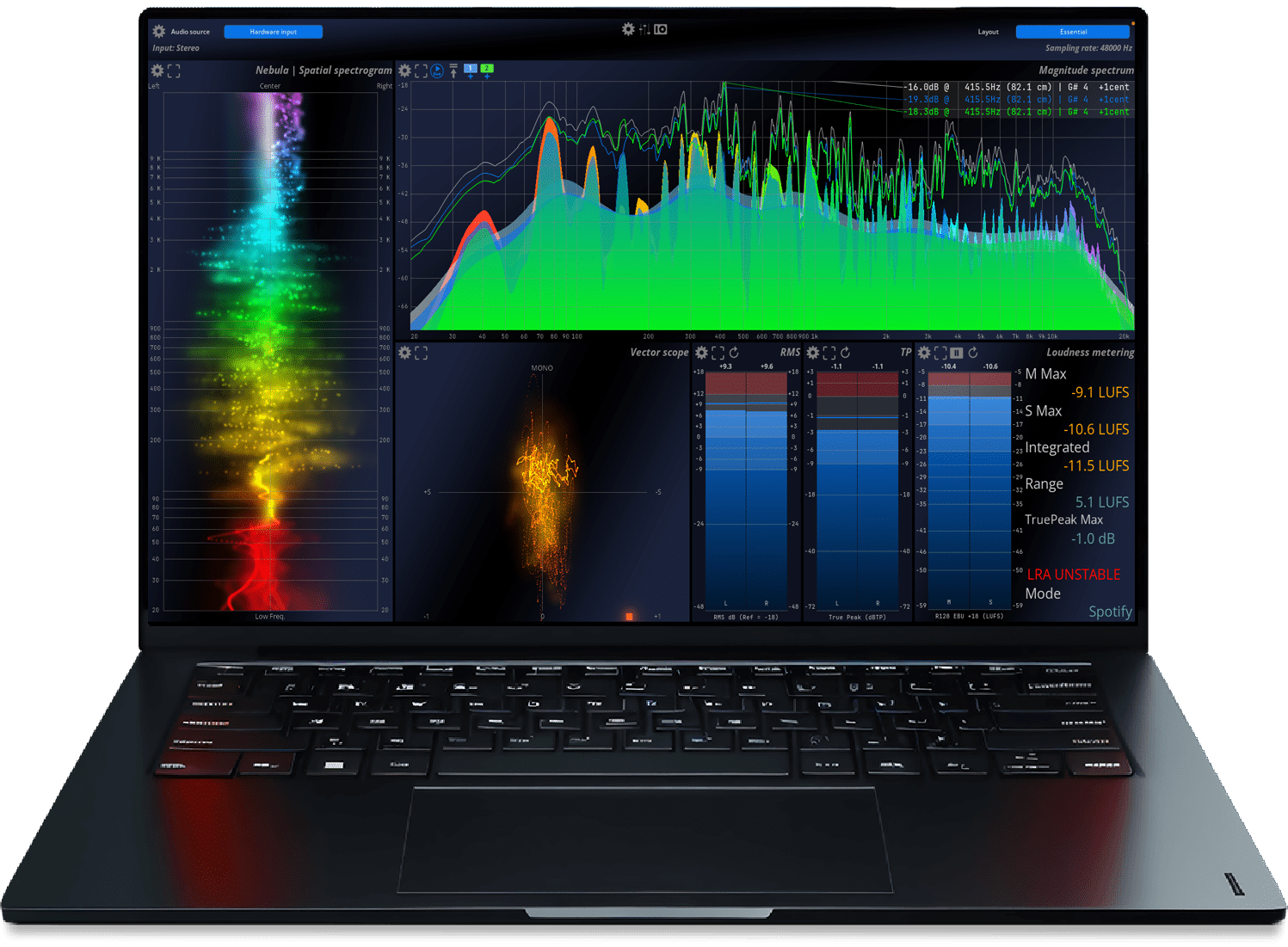
MiRA Session
Get your mix RIGHT with the MiRA Session spectrum and metering system. Part of the MiRA family of audio analysis and metering applications, whether you are producing music, podcasts, or any audio content, MiRA Session is designed with a focus on superior visual response, enhancing real-time audio capture through detailed processing for exceptional visualization.
We offer a 50% academic discount, based on the full MSRP, for students, teachers and schools on all our products. Click here to apply.
COMPATIBILITY


WATCH AND LEARN MORE
MiRA Session INTRODUCTION
MiRA – FLUX:: SAMPLE PUSH TECHNOLOGY
MiRA - LAYOUT CREATION WITH CUSTOMIZABLE WORKSPACES
MiRA – USER INTERFACE
RESOURCES

Online User Guide

Download & Install

License & Activation

Release Notes

Facebook Analyzer Group
SPECIFICATIONS
Features
| Session | Studio | Live | Ultimate | ||
| General | Number of channels | 2 channels | Up to 24 | Up to 24 | Up to 24 |
| Custom layout and workspace | ✓ | ✓ | ✓ | ✓ | |
| Hardware input / output | ✓ | ✓ | ✓ | ✓ | |
| MiRA samplegrabber communication | ✓ | ✓ | ✓ | ✓ | |
| Include most of the DAW speakers arrangements - more than 200 included | ✘ | ✓ | ✓ | ✓ | |
| SPAT Revolution sample push communication | ✓ | ✓ | ✓ | ✓ | |
| Advanced management for system measure captures, with offline edition support | ✘ | ✘ | ✓ | ✓ | |
| Unique head/floor microphone combination (patent pending) | ✘ | ✘ | ✓ | ✓ | |
| All the tools to mix in Stereo | ✓ | ✓ | ✓ | ✓ | |
| All the tools to mix in Immersive | ✘ | ✓ | ✘ | ✓ | |
| All the tools to calibrate a system | ✘ | ✘ | ✓ | ✓ | |
| Unique 3D Nebula - Analyze your spatial mix | ✘ | ✓ | Frontal only | ✓ | |
| Scope | RMS Meter | ✓ | ✓ | ✓ | ✓ |
| Peak Meter | ✓ | ✓ | ✓ | ✓ | |
| True Peak Meter | ✓ | ✓ | ✓ | ✓ | |
| Loudness Meter | ✓ | ✓ | ✓ | ✓ | |
| Wave scope | ✓ | ✓ | ✓ | ✓ | |
| Stereo Vector Scope | ✓ | ✓ | ✓ | ✓ | |
| Nebula | Spatial spectrogram | ✓ | ✓ | ✓ | ✓ | |
| Spectrogram | ✓ | ✓ | ✓ | ✓ | |
| RTA (Spectrum Magnitude) | ✓ | ✓ | ✓ | ✓ | |
| Meters History | ✘ | ✓ | ✘ | ✓ | |
| 2D surround scope (legacy) | ✘ | ✓ | ✘ | ✓ | |
| 3D Surround scope | ✘ | ✓ | Frontal only | ✓ | |
| Metering Statistic | ✘ | ✓ | ✘ | ✓ | |
| Live |Leq | ✘ | ✘ | ✓ | ✓ | |
| Live |Spectrum Transfer Function | ✘ | ✘ | ✓ | ✓ | |
| Live | Impulse Response | ✘ | ✘ | ✓ | ✓ | |
| OS | Windows 10 and Windows 11 - 64 bits only | ✓ | ✓ | ✓ | ✓ |
| macOS - All version from 10.15 including macOS Big Sur and Monterey compliant | ✓ | ✓ | ✓ | ✓ | |
| Processing | 32/64-bits internal floating point processing | ✓ | ✓ | ✓ | ✓ |
| Sample rate up to 384 | Up to 96kHz | ✓ | ✓ | ✓ |
Processing
| 32/64-bits internal floating point processing. |
✓
|
| Sampling rate up to 384 kHz DXD |
✓
|
| Network support with the MiRa SampleGrabber plug-in (Password-protected audio stream encryption available) |
✓
|
| Extremely efficient OpenGL based graphics rendering engine, capable of up to 120 fps |
✓
|
| Independent display and time-code frame rates |
✓
|
| Auto-pause controlled by user-defined threshold |
✓
|
OS Compatibility
Hardware Requirements
Graphics Card
In order to experience the outstanding graphical response in MiRA and to fully take advantage of the software’s analysis capabilities, using a modern NVIDIA or AMD/ATI Radeon graphics card is recommended.
Older, and other less efficient graphics cards do not have the required performance and specifications, and will offload too much work to the CPU.
A graphic card fully supporting OpenGL 2.0 is required.
- macOS: OpenGL 2.0 required – Mac Pro 1.1 & Mac Pro 2.1 are not supported. Apple Silicon Universal Binary ARM Mx Supported
- Windows: If your computer has an ATi or NVidia graphics card. please ensure the latest graphic drivers from the ATi or NVidia website are installed. Generic drivers may contain bugs and are, in general, less up-to-date with optimizations presented in drivers specific to your particular graphics card model.
- USB displays are not supported
Audio Interface
- macOS: any Core Audio compatible interface or virtual sound card
- Windows: any ASIO-compatible interface or virtual sound card
Software Licence Requirements
| iLok account required |
✓
|
| Machine authorization is supported |
✓
|
| iLok USB Smart Key support (From 2nd gen) |
✓
|
| iLok Cloud support |
✘
|
| Simultaneous authorizations (2) |
✓
|


