
The Creative Engine for Immersive Audio
Design, perform, and deliver immersive audio in real time across live events, installations, and content creation. Trusted by sound designers, live engineers and institutions worldwide.
One Engine – Where to apply the technology
No matter what your project vision is, SPAT Revolution has you covered and will make every space turn into an outstanding experience.
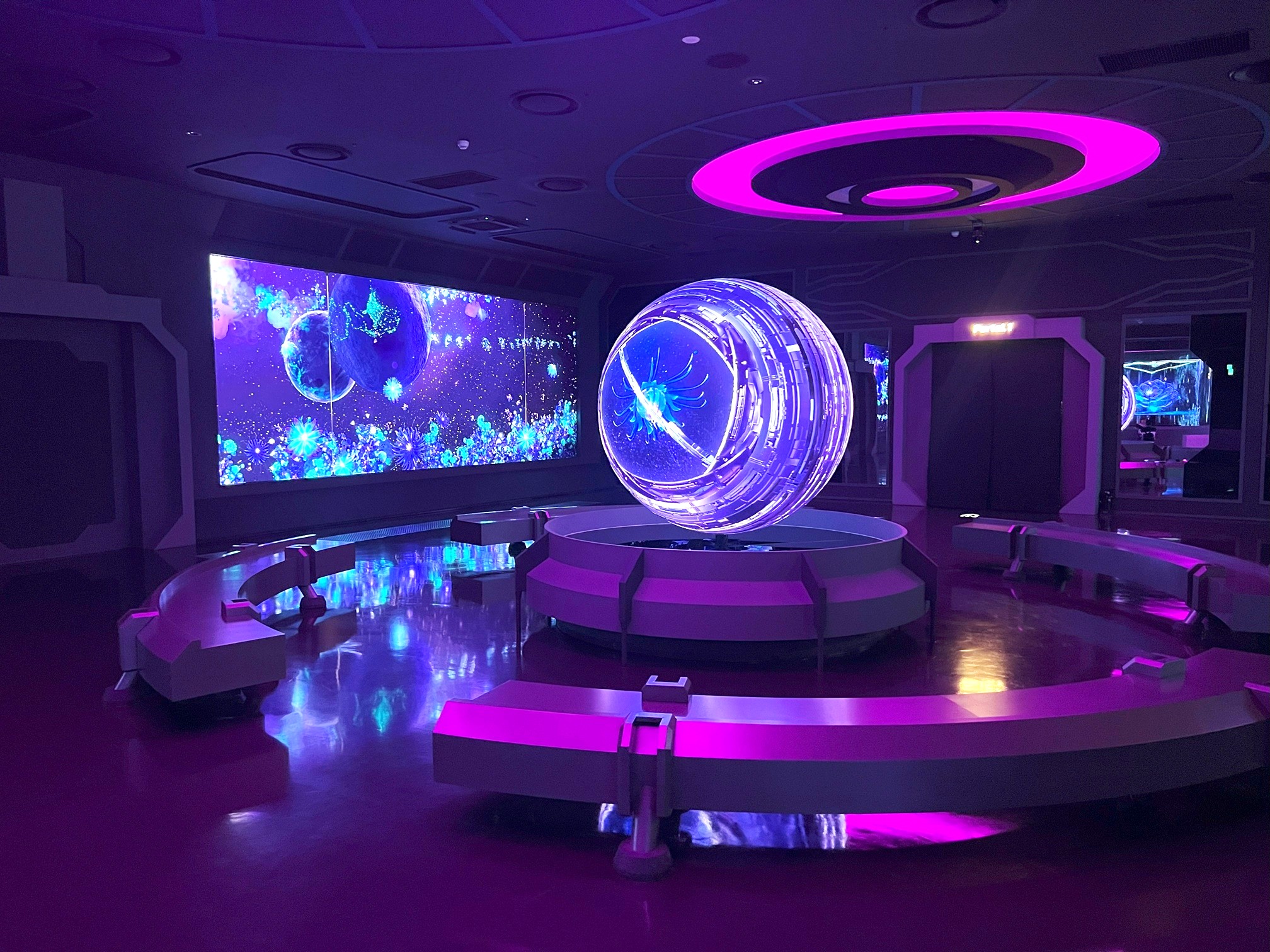
LA SPACE, INCHEON, S.KOREA
- Live Events and Touring: Design immersive sound for audiences beyond the sweet spot. Combine live performers, spatial motion, and time‑based playback in real time.
- Museums and Experience Spaces: Preserve creative intent through reliable playback while keeping the flexibility to adapt sound dynamically to space, interaction, and narrative.
- Performing Arts and Venues: Balance stage clarity with spatial envelopment. Create coherent immersive experiences for opera, theater and contemporary performance.
- Studio, Film and Content Creation: Create once, deliver anywhere. Build immersive mixes that translate effortlessly between binaural, speaker‑based, and Atmos‑compatible workflows.
- Research and Experimental Audio: An open, format‑agnostic platform designed for innovation, exploration, and custom immersive research workflows.
Designed to integrate into any workflow
SPAT Revolution adapts seamlessly to your existing studio, live, and networked environments without forcing changes to how you work.
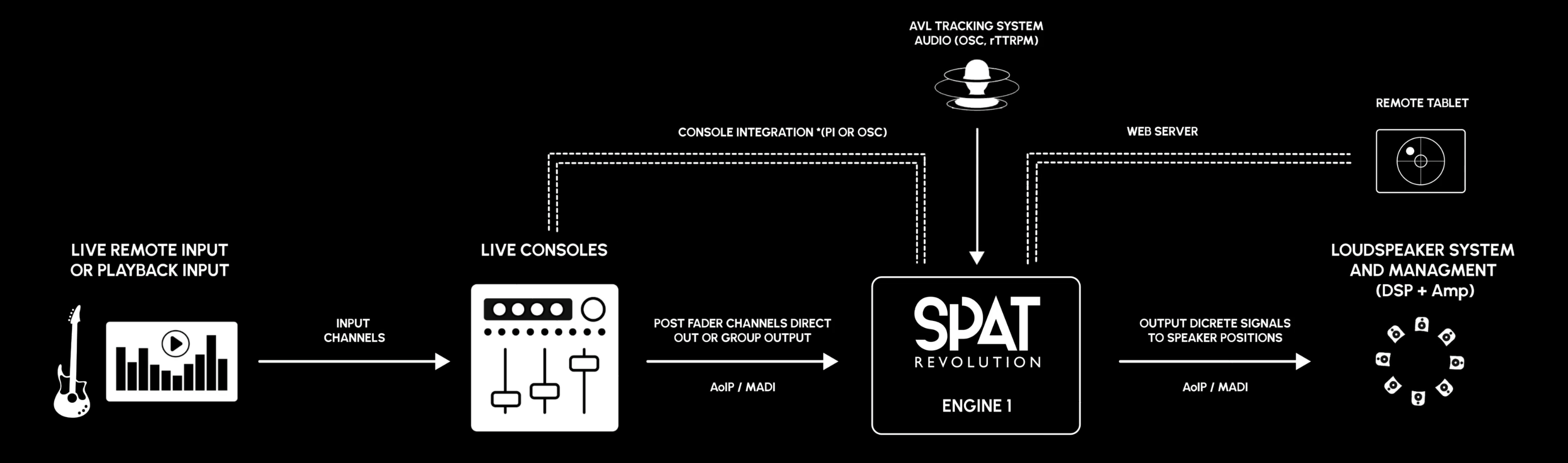
Fast and flexible setup
Quickly deploy object‑based immersive sessions using a guided setup wizard with physical or virtual audio interfaces as hardware I/O
Deep DAW and Mixing console integration
Expand your DAW’s immersive capabilities using SPAT plugin suites (AAX, AU, VST3) with local audio path routing and full parameter automation.
Networked control and show integration
Connect control devices, show‑control applications, tracking software,and digital mixing consoles via Open Sound Control (OSC)
Workflow‑agnostic by design
SPAT Revolution fits naturally into studio, live, installation and experimental environments—scaling with the complexity of your project.
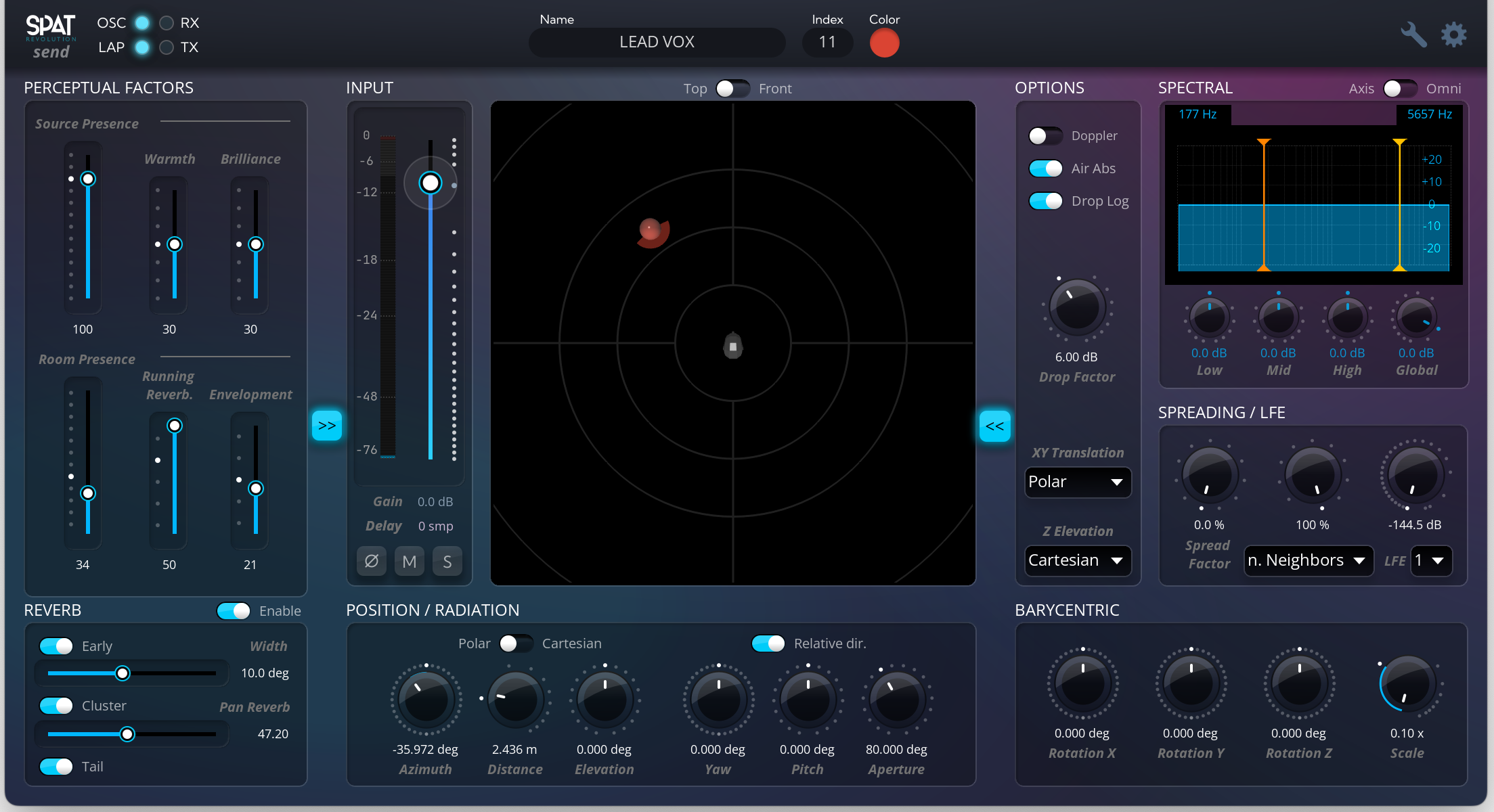
Spat Revolution New Overhauled Plugin
The new overhauled SPAT Revolution Plugin brings the full SPAT experience directly into your DAW, unifying immersive audio creation, speaker layout control, and FLUX:: processing in a single, streamlined workflow.


Send / Return / Room Plugins Compatiblity
Mac OS and Windows
Render for Any Deliverable
SPAT Revolution gives you complete freedom to create immersive audio without locking you into a single format, panning method, or spatial model.
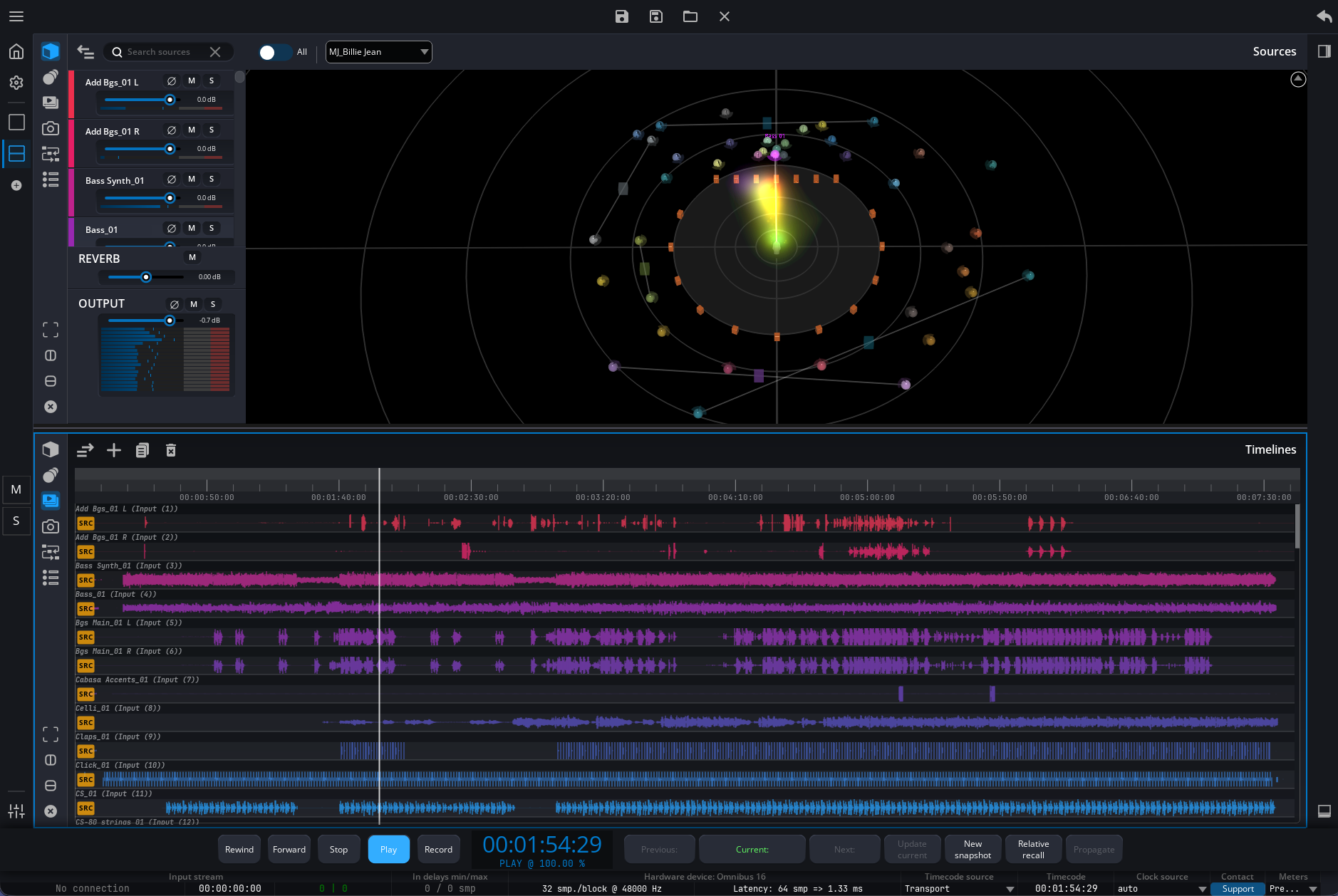
- Format‑agnostic by design: Render to channel‑based, scene‑based, ADM‑compatible formats, binaural, or custom loudspeaker layouts from the same immersive mix.
- Creative freedom, no constraints: Choose the spatial approach that best fits your project, audience, and space—SPAT Revolution adapts to your intent, not the other way around.
- From precision to envelopment: Optimize frontal clarity for concert diffusion, create enveloping surround sound, or deliver immersive audio over headphones.
- One engine, many applications: Equally suited for concerts, festivals, immersive installations, museums, theme parks, public spaces, studios, research, and experimental practices.
- Future‑proof immersive workflow: A single, flexible environment that integrates seamlessly into studio workflows while remaining robust and intuitive for live and large‑scale deployments.
Spatial Rendering Without Constraints
Design immersive sound without being locked into a single spatial method
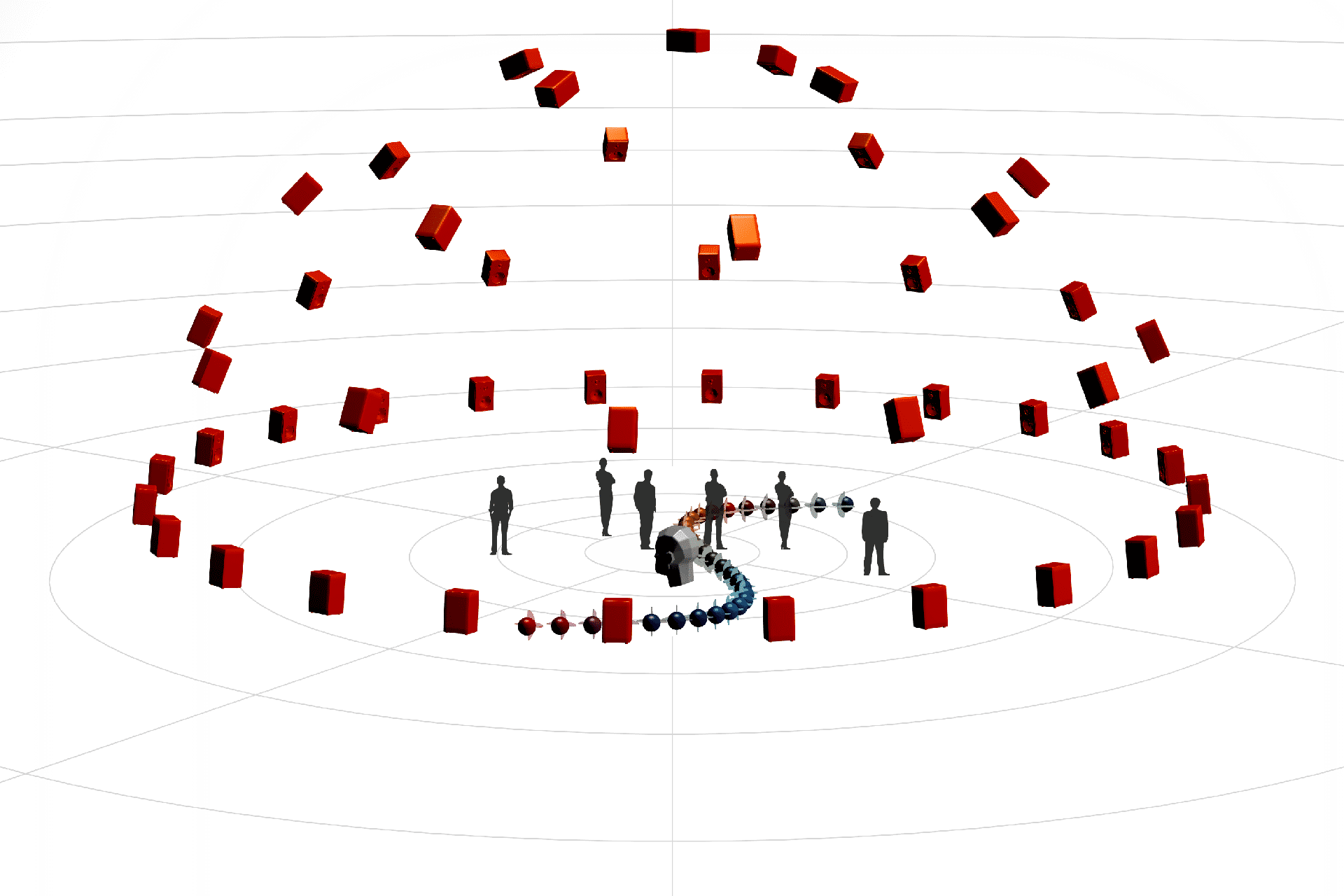
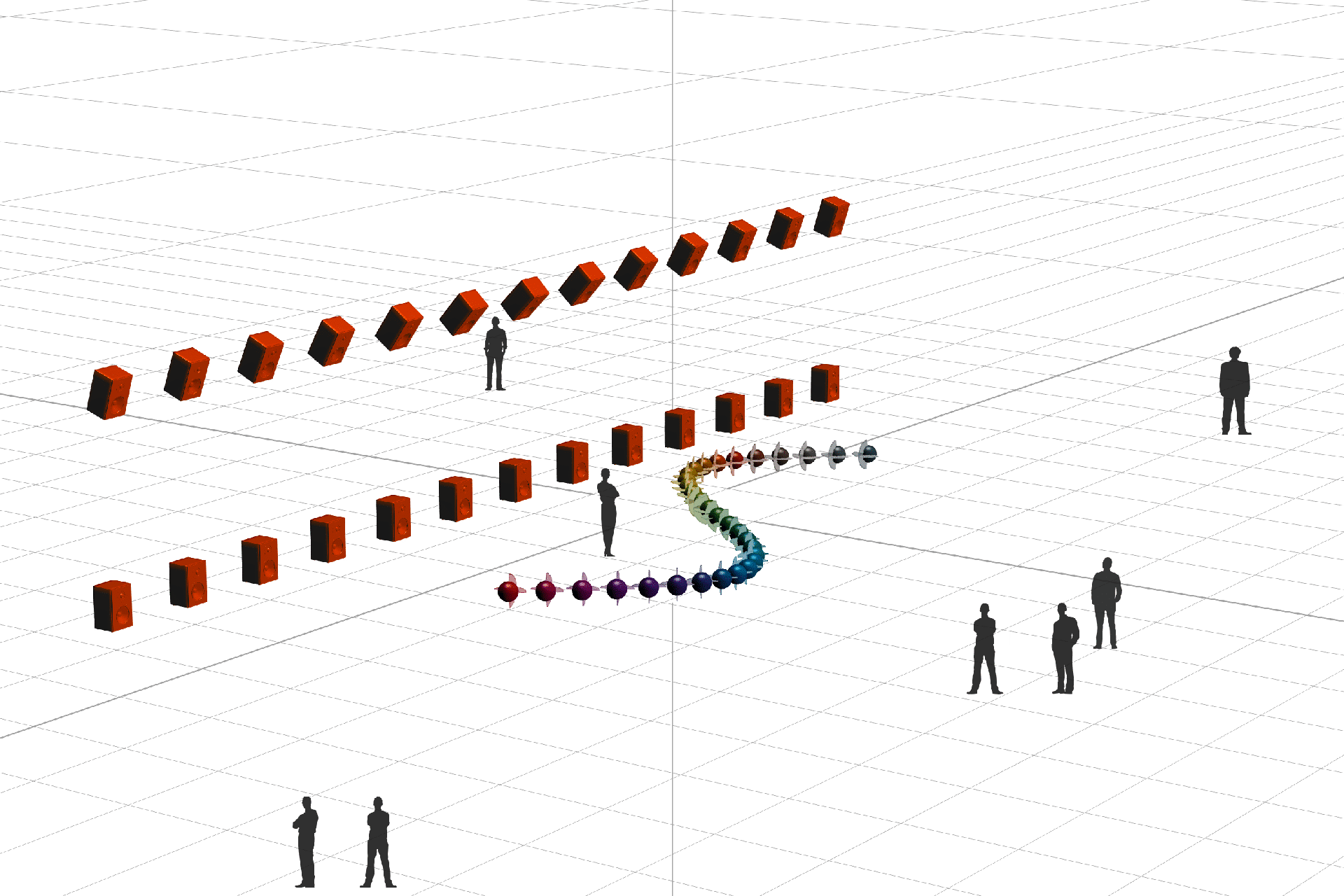
SPAT Revolution is built on an object‑based approach that gives you the freedom to choose how sound behaves in space based on your creative intent, your audience, and your environment.
Instead of enforcing one panning model, SPAT Revolution brings multiple spatial rendering techniques together in a single engine. Whether you’re focusing on precision, envelopment, scale, or stability, the right spatial solution is always available, without rebuilding your mix.
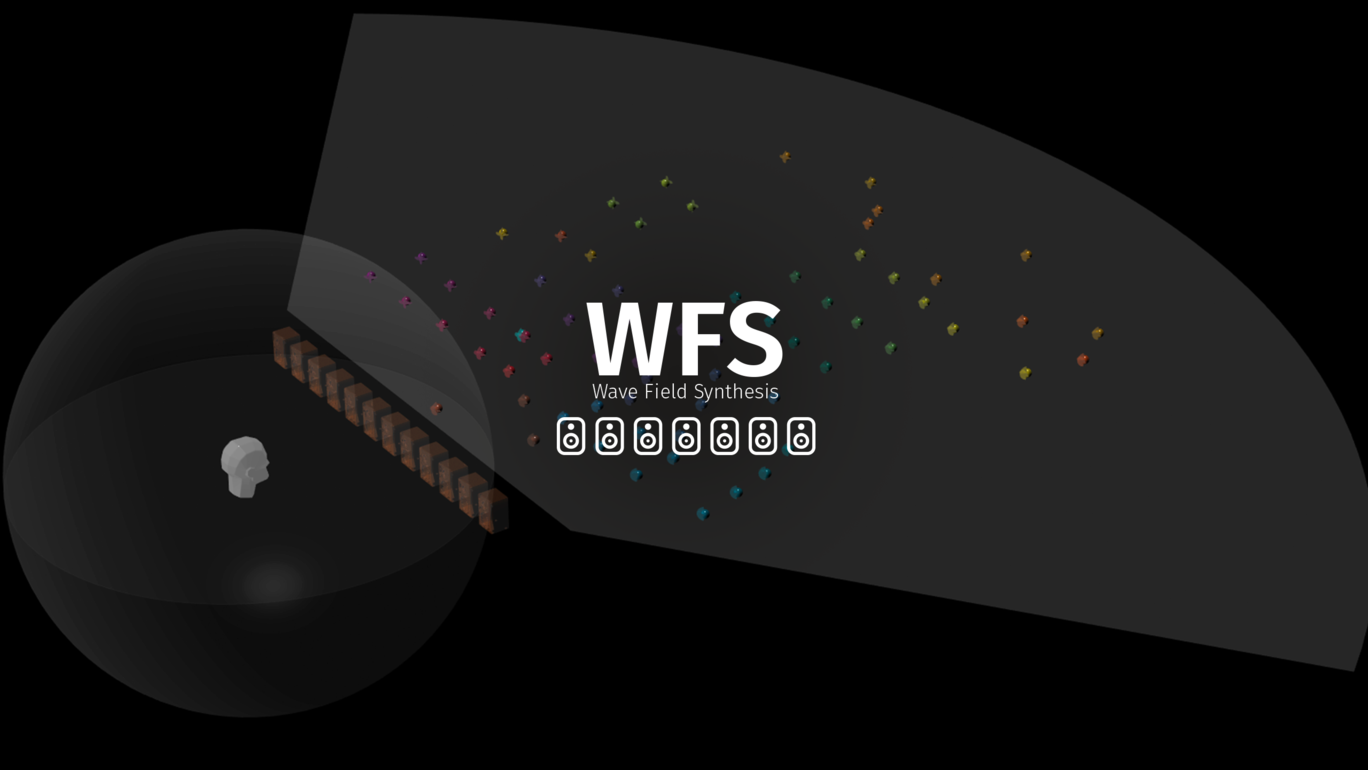
For large audience areas and demanding environments, Wave Field Synthesis (WFS) extends this freedom even further, delivering a stable soundscape far beyond a single sweet spot.
Object‑Based by Design
SPAT Revolution treats spatial audio as a creative process, not a fixed format. Sound sources are defined as objects with position, movement, and behavior, independent of the final rendering method or output format.
This allows immersive scenes to be designed only once and adapted naturally to different spaces, speaker layouts and delivery formats, while preserving creative intent.
Multiple Panning Methods, One Engine
SPAT Revolution integrates a wide range of spatial rendering techniques to address all real‑world production needs:
- Frontal precision for concert diffusion
- Enveloping surround sound for immersive venues
- Custom and non‑standard loudspeaker layouts
- Reliable translation to binaural and headphone playback
The engine adapts to the context, not the other way around!

Channel-based Formats
Scene-based Formats
Wave Field Synthesis – A Stable Soundscape at Scale
Traditional panning approaches often rely on a limited optimal listening position. As listeners move, spatial perception can shift, blur or collapse.
Wave Field Synthesis (WFS) takes a different approach:
• Reproduces physical wave fronts, not perceptual spots
• Maintains spatial stability across extended audience areas
• Ensures consistent localization as listeners move
For productions that require consistent spatial perception across large listening areas, Wave Field Synthesis (WFS) is available as an optional add on for SPAT Revolution Ultimate.
WFS reproduces the physical behavior of sound wave fronts using precise control of delay and amplitude across a loudspeaker array. The result is a stable, coherent soundscape for the entire audience, rather than a single listening position.
Ideal for large venues, performing arts spaces, front focused systems and qualified 2D/3D loudspeaker arrangements, WFS ensures spatial accuracy even as listeners move through the space.
Real World User Stories
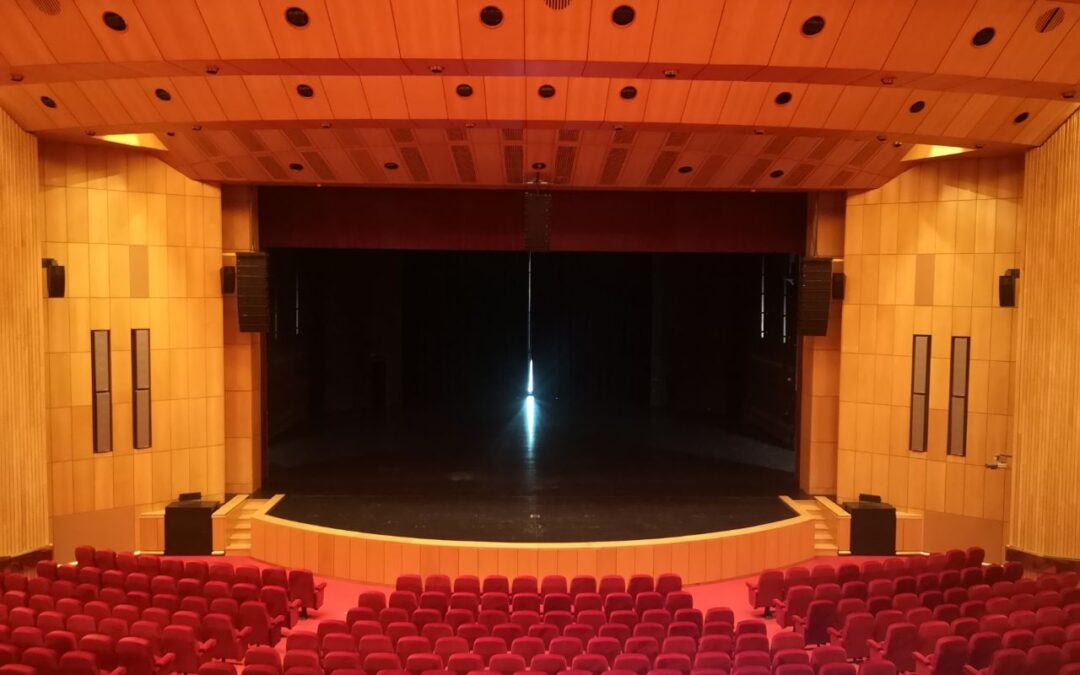
FLUX:: delivers spatial audio with SPAT Revolution at Lisbon Culturgest venue
Culturgest in Lisbon becomes the first venue in Portugal to implement a fully immersive live sound system using FLUX:: SPAT Revolution. As one of Lisbon’s most respected cultural institutions, Culturgest sought to expand the creative potential of its flagship Emílio...
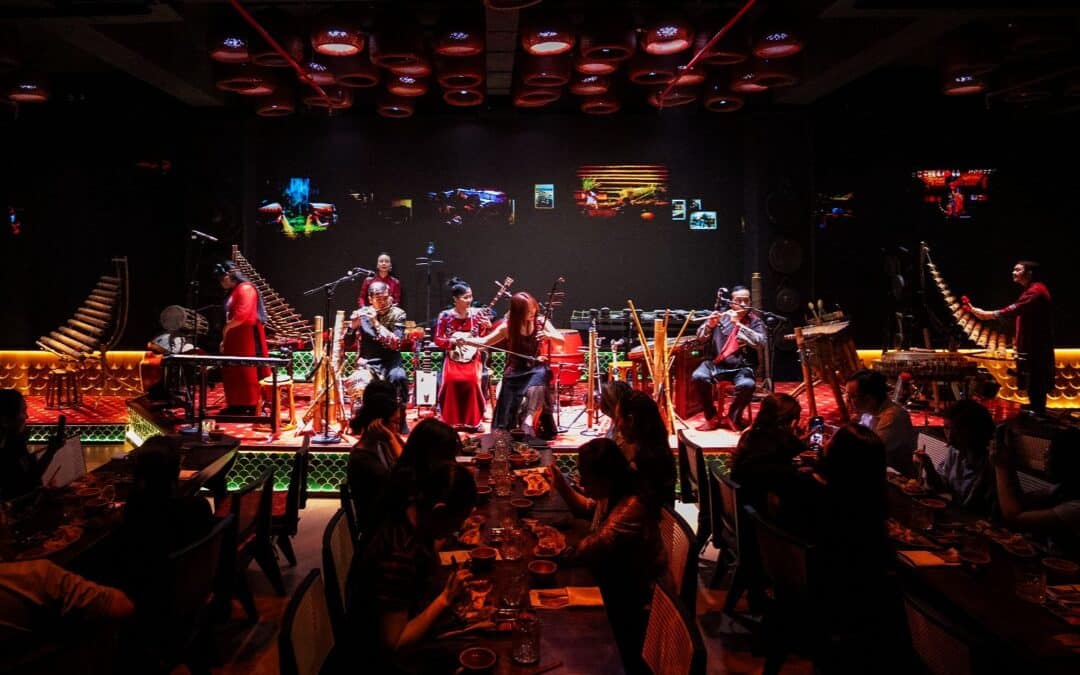
JBL Professional and FLUX:: Powers Immersive Audio Breakthrough in Vietnam’s CHÀO Show
HARMAN delivers Asia-Pacific’s first immersive audio system for live cultural performance, redefining the audience experience through cutting-edge spatial sound and seamless AV integration HO CHI MINH CITY, VIETNAM — HARMAN Professional Solutions, in collaboration...
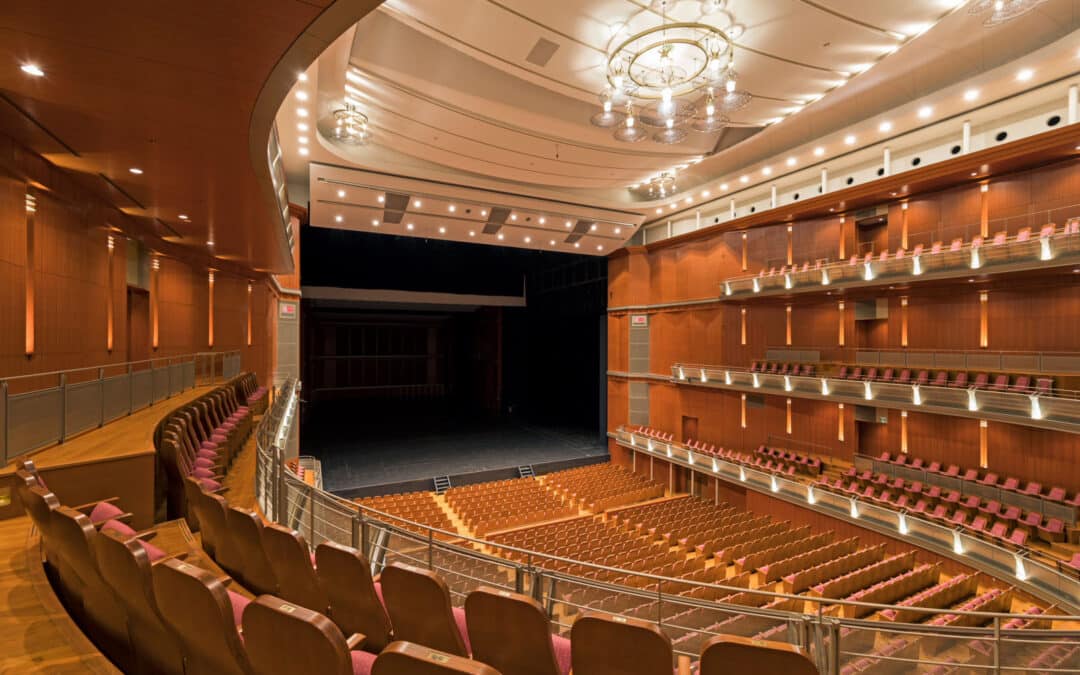
Biwako Hall Center for the Performing Arts, Shiga, Installs FLUX:: SPAT Revolution Immersive Audio System Software
Groundbreaking installation of SPAT Revolution integration delivers elevated auditory experience for Opera and Classical Performances in Shiga Prefecture; Japan’s First Permanent SPAT Revolution Install in a Theater SHIGA, JAPAN – The esteemed Biwako Hall in Shiga...
Built on decades of groundbreaking research at Ircam
SPAT Revolution is the result of a successful partnership between FLUX:: Engineering and the French research institute Ircam (Institute for Research and Coordination in Acoustics/Music), created to make decades of groundbreaking research performed at Ircam available to the world in a format adapted for the workflow in the digital music and audio industry.

Global Accolades


Core Capabilities
SPAT Revolution Essential |
SPAT Revolution Ultimate |
|
| – Single virtual room environment | – Multi virtual room environments | |
| – Deliver channel-based, binaural or ambisonic up to 3rd order |
– Deliver for channel-based, binaural and ambisonic up to 7th order | |
|
– Up to 32 audio input channels – Channel-based predefined and custom setups up to 16-channel output |
– Unlimited audio input channels – Channel-based predefined and custom setups up to 256-channel outputs |
|
| – Supporting one timeline | – Support unlimited timelines at the same time | |
| – Trigger cues with OSC, MIDI or manually | – Trigger cues with incoming Timecode, OSC, MIDI, or manually | |
| – Binaural Monitoring | – Binaural Monitoring (Multiple rooms) | |
| – OSC integration | – OSC and RTTrPM tracking integration | |
| – Nebula Spatial Spectrogram | – Nebula Spatial Spectrogram | |
| – WFS Technology Add-on Option Support | ||
Advanced Features
Speaker Configuration Management
- Import speaker layouts
From JBL Venue Synthesis, d&b, Meyer MAPP 3D, Nexo NS‑1, EASE, CAD tools, or Excel. - Validate & optimise layouts
Built‑in panning guidance and validation tools. - Per‑speaker control
Individual channel mute directly in the virtual room. - Flexible layout editing
Offset, mirror, scale, and transform speaker arrangements. - Batch speaker creation
Fast setup using uniform distribution tools. - Room visuals
Scalable background images for spatial context.
Multimedia player and recorder
- Multi‑timeline playback
Run multiple timelines simultaneously for flexible immersive playback. - Record & replay immersive sessions
Capture full SPAT sessions with automation and replay directly from the internal timeline. - Hybrid live + playback workflows
Seamlessly combine pre‑produced multi‑track content with live object mixing. - Cue triggering & interactivity
Trigger objects, snapshots, timelines, and animations internally or via external systems. - ADM / Dolby Atmos™ import
Load ADM productions from third‑party tools and re‑render them live in SPAT Revolution, a.o. Dolby Atmos ™.
Objects, Snapshots and Cues
- Snapshot‑based scene control
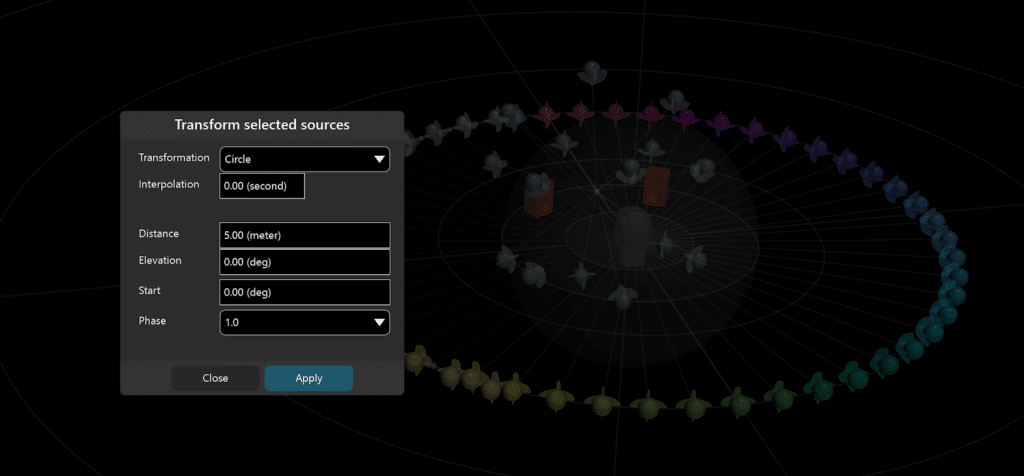
Store and recall mix states with configurable interpolation times. - Smooth object transformations
Move and transform sources with time‑based interpolation for natural transitions. - Cue‑driven control
Trigger objects, snapshots, and transformations via Timecode, MIDI, or OSC. - Remote & touch control
Control objects and snapshots using SPAT Remote and touch interfaces (e.g. TouchOSC). - Automation‑friendly workflows
Enable dynamic spatial changes for live, interactive, and time‑based productions.
OSC & Real Time Tracking
- Advanced OSC engine
Powerful OSC interpreter with support for complex routing and transformations. - Multiple OSC connections
Up to 8 simultaneous OSC connections for flexible control and integration. - Real‑time tracking (Ultimate only)
BlackTrax RTTrPM protocol support with 6‑DOF tracking for sources and listener positions. - Industry‑standard OSC grammars
Native support for IRCAM ADMix / SPAT, Meyer SpaceMap Go, and ADM‑OSC (input & output). - Flexible OSC outputs
Auto‑bundle, touch/release messages, and customizable output behaviors. - Controller & console presets
Ready‑to‑use OSC presets for SPAT plug‑ins, Lemur, Avid S6L, DiGiCo, SSL Live, and ADM‑OSC workflows. - OSC value transformation
Rescale, offset, convert and process OSC values directly inside SPAT Revolution. - Control‑level messaging
Use control OSC messages (index ‑1) for active object and source selection.
Encoding, Decoding, and Transcoding
- Flexible object stream support
Work with microphones, arrays, HOA captures, and pre‑produced stems. - Powerful transcoding engine
Adapt channel counts and formats on the fly to match any rendering or speaker configuration. - Advanced Ambisonics support
Encode and render HOA up to 7th order, including format and normalization conversions. - Microphone array compatibility
Native support for A‑Format microphones (Sennheiser, Soundfield, DPA, RØDE, Core Sound). - Multiple decoding algorithms
Choose from Projection, Pseudo‑Inverse, Energy‑Preserving, AllRAD, and improved AllRAD methods. - Comprehensive format control
Support for Ambisonic normalization, ordering, and sorting standards (ACN, FuMa, N3D, SN3D, MaxN, and more).
Multiple Virtual Rooms (Ultimate Only)
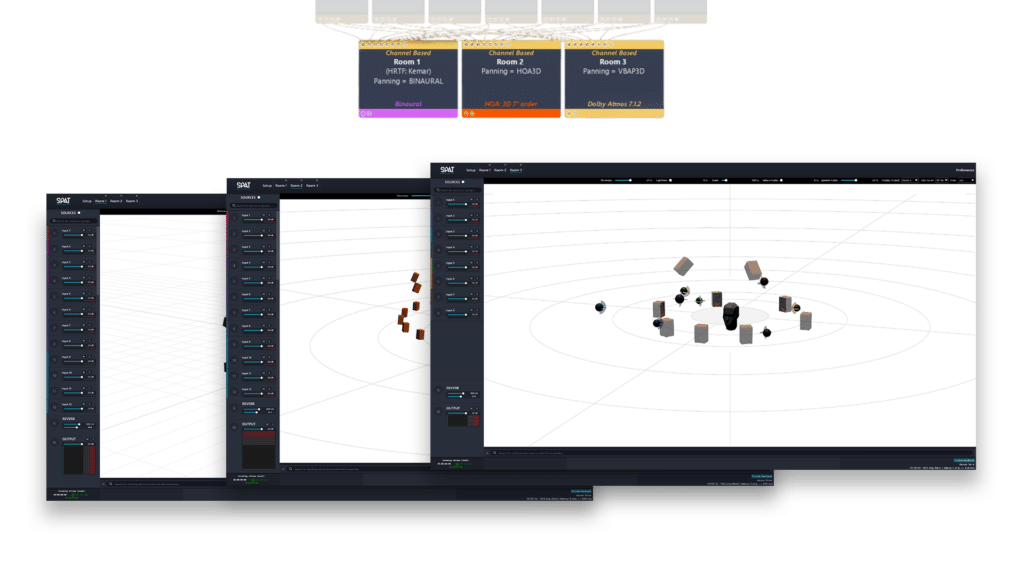
- Multiple virtual rooms in parallel
Create and run multiple rooms simultaneously with independent output formats. - Context‑aware spatial rendering
Each room accounts for positioning, panning, reverberation and output format. - One mix, multiple deliverables
Render different formats or experiences from the same object‑based scene. - Binaural monitoring of channel‑based outputs
Virtually monitor how a mix will translate to a specific loudspeaker layout over headphones. - Accurate spatial preview
Hear the impact of speaker spacing, gain behavior and panning types before deployment.
Nebula Spatial Spectrogram
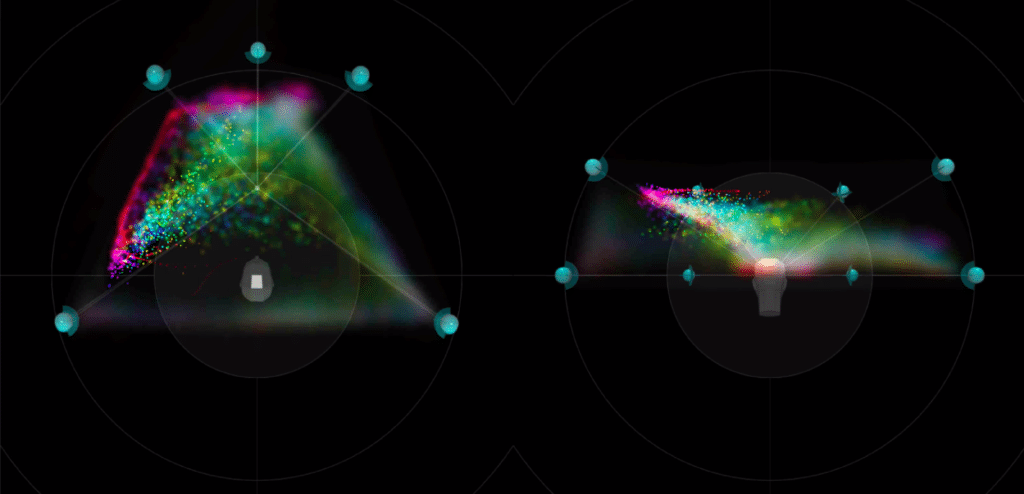
- Unique spatial spectrogram view
Visualize how sound energy distributes across space and frequency in real time. - Sound‑field representation
Displays spectral content and localization within the 3D virtual room. - Adapted from FLUX:: Analyzer technology
Built on proven FLUX:: analysis methods, tailored for immersive audio workflows. - Speaker‑aware visualization
Simulates how sources localize over different loudspeaker configurations. - Real‑time feedback
Immediate visual insight for spatial balance, coverage and system behavior.
Available as perpetual, subscription, and subscription with rent to own option – Educational program offer available.
Additional Resources

Online User Guide

Download & Install

License & Activation

Release Notes
Templates & Presets
Technical Articles
Introducing Relative OSC: Simplifying Audio Parameter Controls
With the release of version 25.01 SPAT Revolution introduces an exciting feature: the support of Relative OSC messages. This innovative functionality offers the capability to adjust parameter values dynamically, without needing to know the current value. Absolute vs....
Navigating SPAT Revolution – From Studio Creation to Live Deployment
In the realm of audio production, the transition from the controlled studio environment to the variety of live setup deployment choices poses a pivotal challenge. This challenge becomes particularly significant when working with SPAT Revolution and its ability to...
Ambisonics: How to Handle Subwoofers and Low Frequency Effect
In this article, we will look at different methods to handle subwoofer and bass extension when dealing with Ambisonics in SPAT Revolution. Specifically, we will investigate solutions at the reproduction stage as well as the creation stage. LFE vs Bass Management...
Features
| Essential | Ultimate | |
|---|---|---|
| Modular User Interface with custom layouts |
✓
|
✓
|
| Module configuration and manual setup management (Add, Remove and Duplicate) |
✓
|
✓
|
| Input number |
32
|
Unlimited
|
| Multi-virtual room environments |
Single Room
|
✓
|
| Efficiency zone and clamping, including morphing zone |
✓
|
✓
|
| Acoustic Simulation / Reverberation |
✓
|
✓
|
| Channel-Based delivery |
Up to 16 channel arrangements (including Dolby Atmos 7.1.4)
|
Up to 256 channel arrangements
|
| Binaural delivery |
✓
|
✓
|
| Ambisonic (HOA) delivery |
Up to 3rd order
|
Up to 7th order
|
| Mid-Side M/S delivery |
✓
|
✓
|
| Ambisonic sources with trancoders |
Unrestricted
|
Unrestricted
|
| Nebula Spatial Spectrogram |
✓
|
✓
|
| Binaural | Essential | Ultimate |
| Binaural Monitoring |
Multiple
|
Multiple
|
| Near Field Binaural , Spherical Head Model, Snow Man Model binaural mode |
✓
|
✓
|
| HRTF Library |
Complete HRTF Listen library
|
Complete HRTF Listen library
|
| HRTF Import of SOFA files |
✓
|
Import and Export Manager
|
| Binaural | Essential | Ultimate |
| Animation creation and edition |
✓
|
✓
|
| LFO animations |
✓
|
✓
|
| Trajectory animations |
✓
|
✓
|
| Media record and player | Essential | Ultimate |
| Timeline creation |
Unlimited
|
Unlimited
|
| Simultaneously playing timelines |
1
|
Unrestricted
|
| Wav file import |
✓
|
✓
|
| ADM /Dolby atmos wav file import |
✓
|
✓
|
| Audio and automation recording in timelines |
✓
|
✓
|
| Cue sequencer | Essential | Ultimate |
| Cue sequencer |
✓
|
✓
|
| When trigger |
OSC, MIDI and manual
|
Timecode, OSC, MIDI and manual
|
| What trigger |
MIDI, OSC, Timeline, Animation, Cue, Transport, Object, Wait
|
MIDI, OSC, Timeline, Animation, Cue, Transport, Object, Wait
|
| Integration | Essential | Ultimate |
| Synchronization |
Ableton Link
|
Ableton Link, LTC, MTC
|
| OSC Integration, with OSC Transformation presets |
✓
|
✓
|
| Custom OSC Transformation |
✓
|
✓
|
| RTTrPM Tracking intergration |
✓
|
✓
|
| MiRA integration with Sample push and EQ integration |
✓
|
✓
|
| Panning | Essential | Ultimate |
| VBAP – Vector Amplitude Based Panning |
✓
|
✓
|
| DBAP – Distance Based Amplitude Panning with K Nearest Neighbour advanced parameters |
✓
|
✓
|
| WFS – Wave Field Synthesis |
With WFS option license
|
With WFS option license
|
| XY/AB/StereoPan with 7 Stereo panning law options |
✓
|
✓
|
| Advanced Vector Based Panning | VBIP, DualBand, HybridVBAP |
VBIP, DualBand, HybridVBAP
|
| LBAP – Layer Based Amplitude Panning |
✓
|
✓
|
| AEP – Ambisonic Equivalent Panning |
✓
|
✓
|
| Ambisonics | Essential | Ultimate |
| Ambisonic (HOA) delivery |
Up to 3rd order
|
Up to 7th order
|
| HOA Preset: AmbiX, B-Format, SPAT Room and Custom |
✓
|
✓
|
| N2D/N3D, SN2D/SN3D, FuMa, MAxN Normalization |
✓
|
✓
|
| ACN, FMH and SID Sorting |
✓
|
✓
|
| Projection, Regularized Pseudo-Inverse ,Energy preserving, AllRad, Improved AllRAD decoding methods |
✓
|
✓
|
| Basic, InPhase, MaxRe, BasicMaxRe, MaxReInPhase, InPhaseMaxRe type decoding type |
✓
|
✓
|
| UHJ Stream type support |
✓
|
✓
|
Availability
| Essential | Ultimate | |
|---|---|---|
| SPAT Revolution stand-alone application for macOS and Windows |
✓
|
✓
|
| SPAT Send / Return / Room plugins available in AU / VST3 / AAX Native SPAT Send plugin available in AAX VENUE |
✓
|
✓
|
| Plugins compatibility, see plugin specifications: https://www.flux.audio/plugin-specifications/ |
||
Software Licence Requirements
An iLok.com user account is required, the iLok USB Smart Key is supported but not required, and authorization can be made to hardware machines/workstations.
| Essential | Ultimate | |
|---|---|---|
| Ilok account required |
✓
|
✓
|
| Machine authorization is supported |
✓
|
✓
|
| iLok USB Smart Key support (From 2nd gen) |
✓
|
✓
|
| iLok Cloud support |
✓
|
✓
|
| Simultaneous authorizations (2) |
Single activation
|
✓
|
| SPAT Essential license |
✓
|
Included in SPAT Ultimate bundle
|
| SPAT Ultimate license |
✘
|
Included in SPAT Ultimate bundle
|
| WFS Panning Add-on Option Support – Now on Essential too |
✓
|
✓
|
OS Compatibility
| Essential | Ultimate | |
|---|---|---|
| Windows 10 – 64 bits only |
✓
|
✓
|
| macOS – All versions from 10.15 including macOS Big Sur and Monterey compliant * |
✓
|
✓
|
| * See Hardware Recommendations and Requirements section for more information on compatibility. | ||
Hardware Recommendations and Requirements
| Essential | Ultimate | |
|---|---|---|
| Specifications Listed Below |
✓
|
✓
|
Single Computer (Creative Station with DAW and SPAT Revolution)
Single computer systems can provide an excellent option for portability but come with the importance of having a performing computer. As SPAT Revolution comes with a 3D graphic engine where audio objects are manipulated, GPU resources are required.
Recommended hardware:
- Apple Silicon / ARM Mx *
-
- Mac Studio MxMax / Mx Ultra off the shelf models
- Mac Mini Mx Chip
- MacBook Pro (13/14/16) Mx Chip
- Apple Intel
- MacPro
- iMac Pro
- MacBook Pro with PCIe bus graphic card
* SPAT Revolution is fully supported to Silicon / ARM Apple computers.
Generic hardware specification:
- Processing: Intel Core i9-9900K, i7-9700K or equivalent. Intel 8th generation or greater processor. (Minimum 6 cores – 8 preferred), 8 MB Cache.
- System Memory: 16 minimum GB DDR4 (32 preferred when integrating with DAW and SPAT Revolution on the same machine with local audio path – LAP)
- Chipset: High-quality / Professional mainboard such as Intel® Z370 Chipset
- Graphic: GeForce GTX 1060 – 4GB GDDR5 Graphic Memory or greater (Graphic card fully supporting OpenGL 2.0 is required. USB displays are not supported)
- Audio Interfaces:
- Mac OS: Core Audio compatible interface or virtual sound card
- Windows: ASIO compatible interface or virtual sound card.
Hardware for Live Productions (Dedicated SPAT Revolution Computer)
- Recommended audio interfaces:
- RME Digiface AVB or Dante, USB 3 Audio interface
- RME Madi HDSPe, MADI FX or MADIface XT
- Recommended hardware:
- Apple Silicon / ARM Mx
- Mac Studio Mx Max (10-Core CPU, 24-Core GPU, 32 GB RAM)
- Mac Studio Mx Ultra (20-Core CPU, 48-Core GPU, 64 GB RAM)
- Apple Intel
- MacPro, 3.5GHz 8‑core Intel Xeon W processor,Radeon Pro W5500X, 32 GB RAM
- MacPro, 3.5GHz 8‑core Intel Xeon W processor,Radeon Pro W5500X, 32 GB RAM
- Apple Silicon / ARM Mx
- Generic recommended hardware specification:
-
- Intel® Xeon® W family W-2200 or W-3200 Series CPU (preferred), E-22xx, or equivalent. Higher core speed. Minimum 8 Cores, 12 MB Cache
- Chipset: Professional workstation chipset C422, C621, or equivalent.
- System Memory: 32 – 64 GB. A system with ECC support is preferred.
- Graphic: Professional NVIDIA Quadro P4000 or equivalent – 8GB GDDR5 Graphic Memory (Graphic card with full support for OpenGL 2.0)
- Network: Dual network interface (NIC) – Intel I210-T1 or equivalent
- OS drive (Operating System): NVMe Internal SSD
- Audio Projects Hard Drive: No specifics. For redundant systems, only certified RAID systems should be used.
- OS: Mac OS High Sierra – Monterey. Windows Pro 10 64-bit. Real-Time optimized OS with minimum services.
-
- Mac OS X – OpenGL 2.0 required – Mac Pro 1.1 & Mac Pro 2.1 are not supported.
- Windows – If your computer has an ATi or NVidia graphics card, please assure the latest graphic drivers from the ATi or NVidia website are installed.
Certified configurations (SPAT Revolution v.22.02.50151 and above)
These configurations are tested and validated on a computer dedicated to SPAT Revolution. All other applications have been closed, and computer has been optimized as indicated below.
Computer optimization:
- Disable Wi-Fi and Bluetooth if not absolutely required
- Disable Airdrop
- Disable Spotlight
- Disable display sleep, disk spin-down, and system sleep
- Disable screen saver
- Disable Time Machine
- Disable software update
- Disable dashboard (Catalina and prior)
- Disable photos processing and Cloud services
- Log out of iCloud
Complete Certified Configurations
Processing
| SPAT Revolution – stand-alone software | ||
| Essential | Ultimate | |
|---|---|---|
| 32/64-bits internal floating point processing. |
✓
|
✓
|
| Sampling rate up to 384 kHz, Block size buffer starting at 16 blocks (hardware dependant) |
✓
|
✓
|
| Unlimited number of Input and Output (Hardware and audio interface dependant). |
32 audio input channels
|
✓
|
| SPAT Revolution – Send / Room / Return plugins See Plugin Specifications Page. |
||
Plugins Compatibility
Access to all specifications:


